· Ahmed Chaabni · Astro · 14 min read
Cooper: A Comprehensive Guide to the Modern Astro Boilerplate for Enterprise Web Development
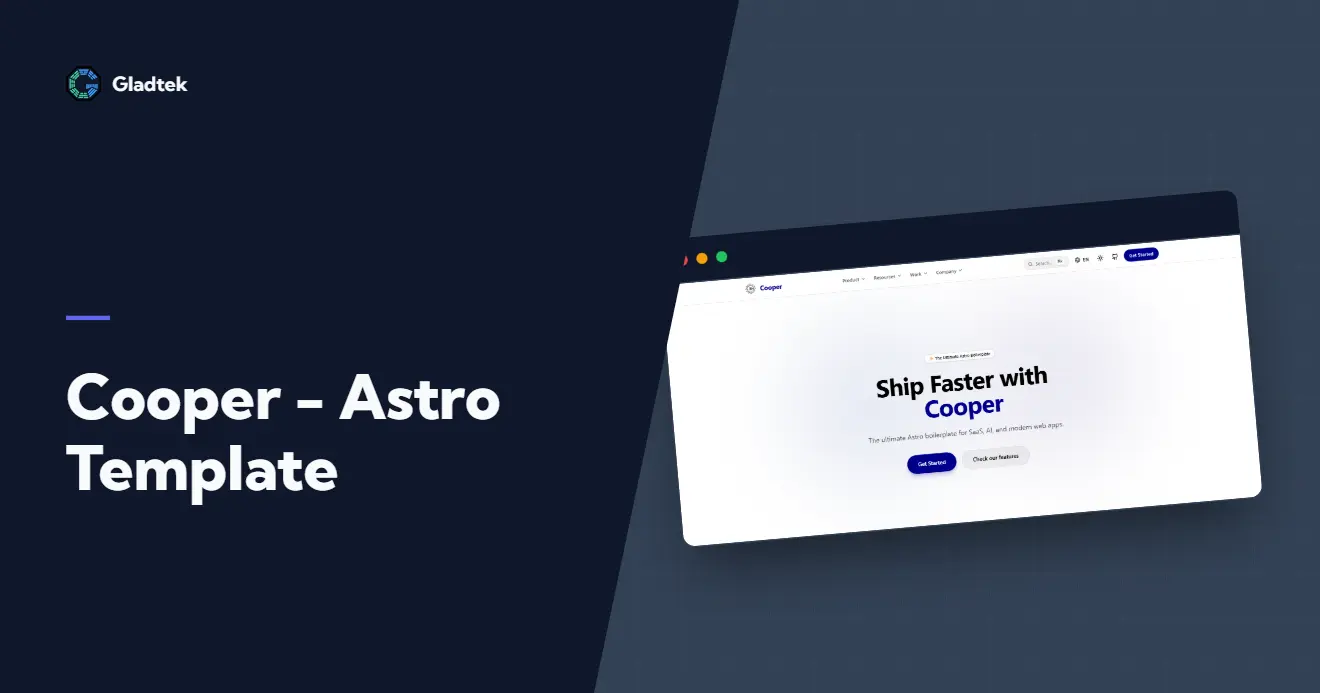
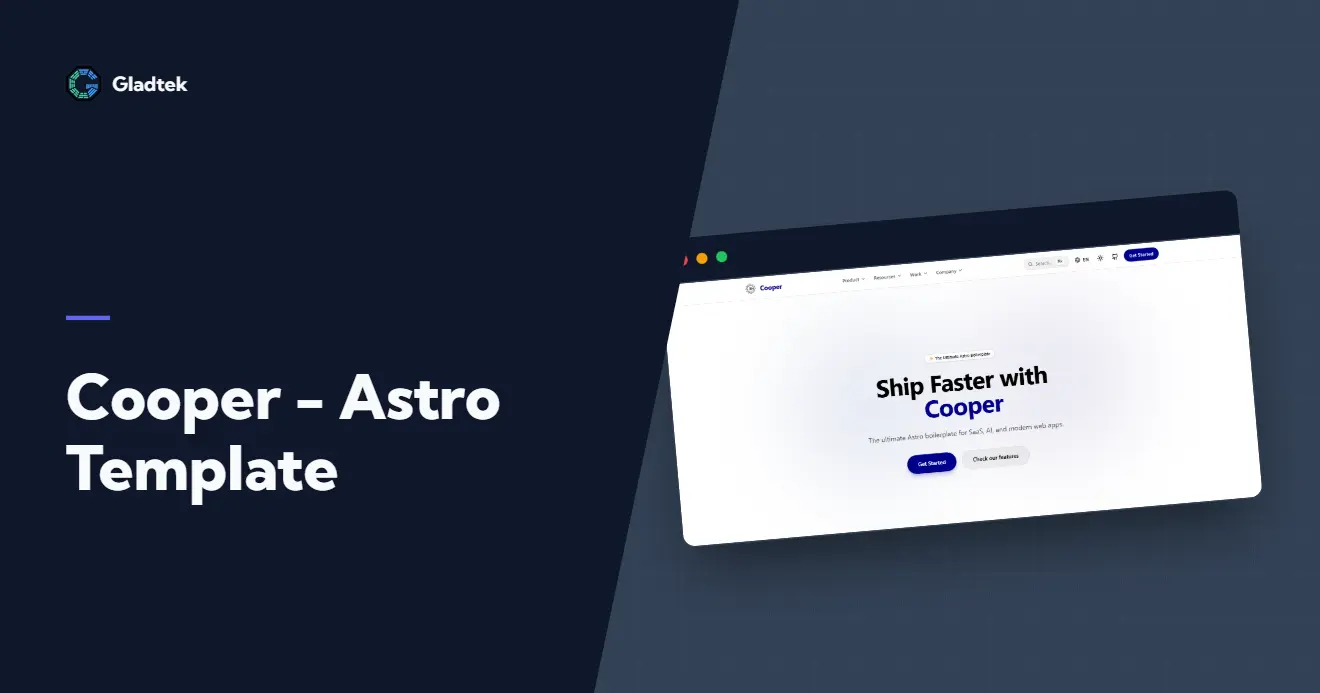
Cooper is an open-source Astro boilerplate engineered by GladTek to help teams build fast, scalable, and enterprise-ready web experiences with minimal setup.
- 1Understanding Cooper: The Foundation of Modern Web Development
- 2Core Technology Stack: Building Blocks of Excellence
- 3Astro: The Performance-First Meta-Framework
- 4MDX: Powerful Content Authoring
- 5Tailwind CSS v4: Modern Utility-First Styling
- 6Pagefind: Client-Side Search Excellence
- 7Architecture and Component System
- 8Core Components
- 9Component Philosophy
- 10Getting Started: Installation and Setup
- 11Theming and Customization: Making Cooper Your Own
- 12Theme Presets and Dynamic Variables
- 13Customization Strategy
- 14Content Management with MDX
- 15Authoring Content
- 16Content Collections
- 17Development Workflow and Best Practices
- 18Local Development
- 19Building for Production
- 20Deployment: Getting Your Application Live
- 21Vercel Deployment
- 22Netlify Deployment
- 23Performance Optimization Strategies
- 24Image Optimization
- 25Caching Strategy
- 26Code Splitting
- 27Search Implementation with Pagefind
- 28Building Search Indexes
- 29Search API Usage
- 30Real-World Use Cases and Applications
- 31Documentation Sites
- 32SaaS Landing Pages
- 33Corporate Websites
- 34Advanced Topics and Ecosystem Integration
- 35TypeScript Integration
- 36TRPC Integration
- 37Performance Benchmarks and Real-World Results
- 38Future Roadmap and Evolution
- 39Conclusion: The Ideal Foundation for Modern Web Development
Cooper is an innovative open-source boilerplate project developed by GladTek, engineered specifically for building high-performance web applications using Astro, TypeScript, and Tailwind CSS v4. This technical deep-dive explores how Cooper revolutionizes modern web development by providing an enterprise-grade foundation that balances performance, developer experience, and customization flexibility.
Understanding Cooper: The Foundation of Modern Web Development
Cooper represents a paradigm shift in how organizations approach web development infrastructure. At its core, Cooper is not merely another starter template; it’s a comprehensive development framework that encapsulates industry best practices and modern web technologies into a cohesive, production-ready boilerplate. The project was engineered with a singular focus: to reduce friction between conception and deployment while maintaining the highest standards of performance and accessibility.

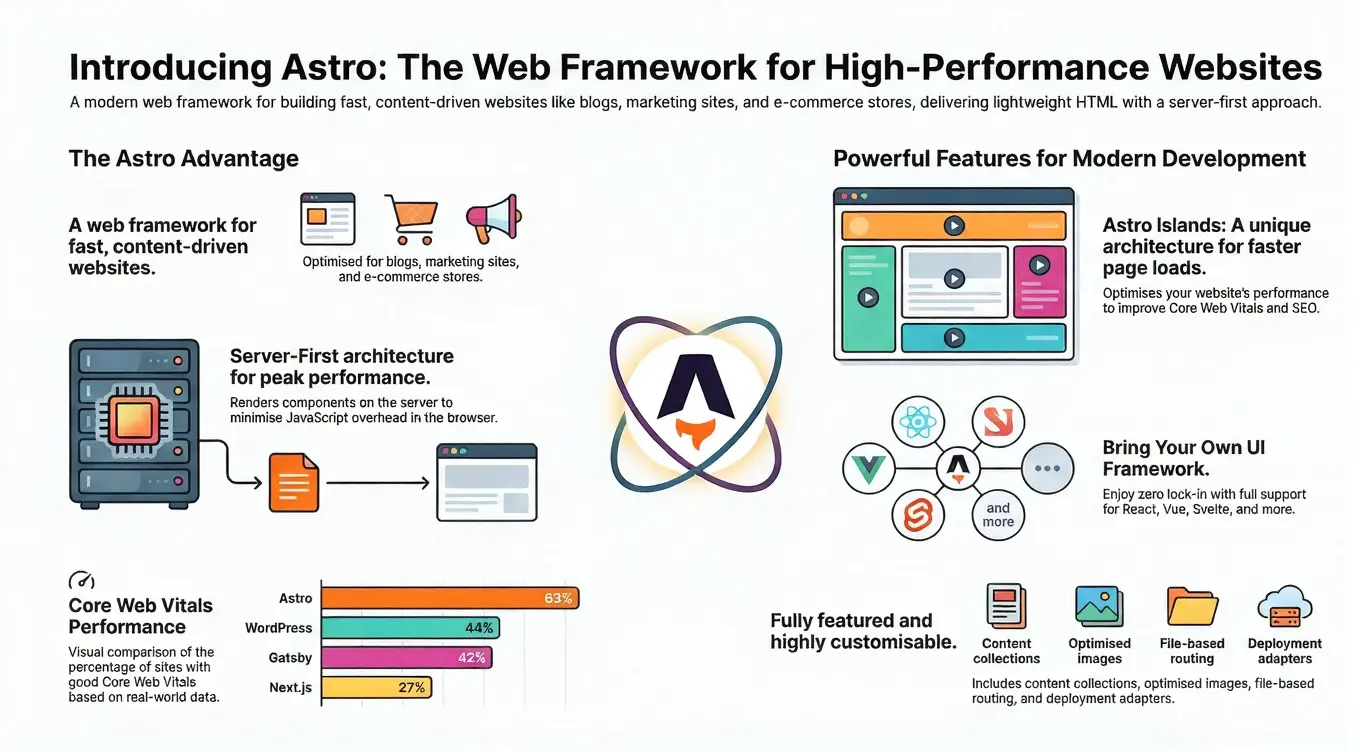
The name “Cooper” itself reflects the project’s philosophy bringing together disparate tools and technologies into a unified, refined system. Built on top of the Astro framework, Cooper inherits Astro’s performance-first philosophy, which ships zero JavaScript by default [1] and only includes the necessary client-side code when interactive components are needed. This architectural decision alone puts Cooper ahead of many traditional web frameworks, ensuring blazing-fast page loads and exceptional Core Web Vitals scores.
GladTek’s commitment to open-source development means that Cooper remains freely available to the community, with transparent development practices and collaborative contribution mechanisms. The project demonstrates how enterprise-grade tooling can be democratized, enabling startups and established organizations alike to build sophisticated web applications without prohibitive licensing costs or vendor lock-in.
Core Technology Stack: Building Blocks of Excellence
Astro: The Performance-First Meta-Framework
Astro serves as the foundation upon which Cooper is built. Released as Astro v5, the framework introduces architectural innovations that represent a fundamental shift in how modern web applications are structured. Astro’s “islands architecture” allows developers to adopt a partial hydration strategy, where only interactive components receive JavaScript, while static content remains purely HTML and CSS. This approach results in dramatically reduced JavaScript bundle sizes often achieving 95+ Google PageSpeed scores out of the box.
The Astro framework provides several critical capabilities that Cooper leverages:
- File-based Routing: Automatic route generation from the file system, eliminating the need for explicit route configuration
- Component Flexibility: Support for multiple UI frameworks (React, Vue, Svelte) without requiring framework lock-in
- Static Site Generation (SSG): Comprehensive support for building static sites with optional server-side rendering (SSR) capabilities
- Built-in Optimizations: Automatic code splitting, image optimization, and CSS purification
MDX: Powerful Content Authoring
Cooper integrates MDX (@astrojs/mdx), a revolutionary content format that combines the simplicity of Markdown with the power of JSX. This integration enables developers and content creators to author sophisticated interactive content without context-switching between different tools and languages.
With MDX support, Cooper enables:
- Component Composition in Markdown: Insert React, Vue, or Astro components directly within Markdown content
- Dynamic Data Binding: Incorporate variables, expressions, and complex logic within written content
- Reusable Content Patterns: Define custom components once and use them across multiple content pieces
- Frontmatter Support: Rich metadata definition using YAML frontmatter with full type safety through Zod validation
The MDX integration transforms Cooper from a traditional templating engine into a sophisticated content platform suitable for documentation sites, blogs, and interactive learning materials.
Tailwind CSS v4: Modern Utility-First Styling
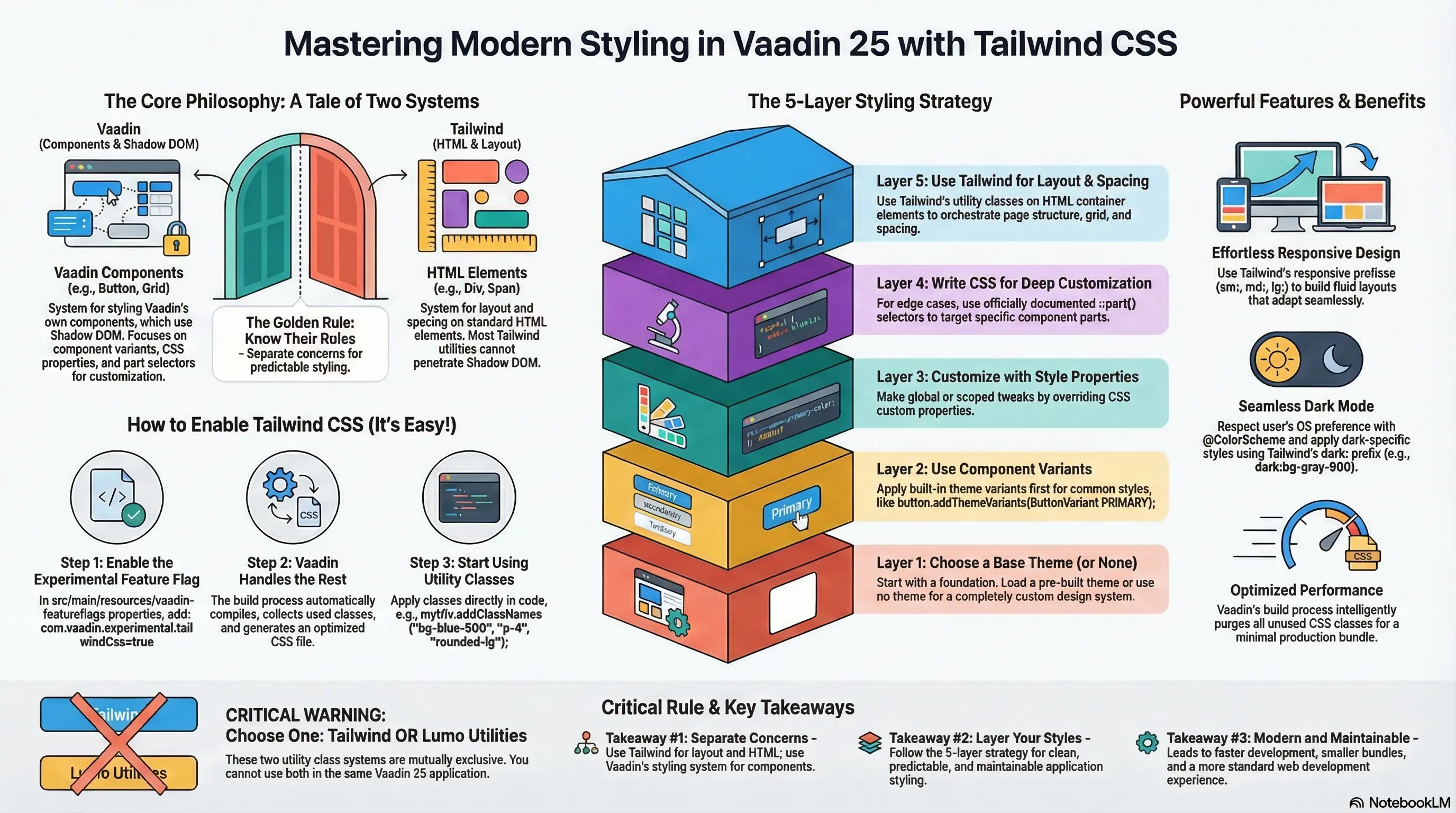
Cooper ships with Tailwind CSS v4 [2] , the latest generation of the industry-leading utility-first CSS framework. Tailwind v4 introduces several game-changing features that Cooper leverages:
- Engine Rewrite: A completely rewritten CSS engine built on @tailwindcss/vite, providing faster builds and more predictable behavior
- CSS-First Configuration: Moving away from JavaScript configuration toward native CSS theme definitions
- Dynamic CSS Variables: Runtime-modifiable theme colors without requiring rebuilds
- Simplified Configuration: Streamlined setup process that requires minimal boilerplate
The Tailwind integration in Cooper enables rapid, consistent UI development through its comprehensive utility class system. Theme presets including “Midnight,” “Ocean,” and “Forest” provide immediate aesthetic direction while remaining fully customizable.
Pagefind: Client-Side Search Excellence
Cooper includes Pagefind, a sophisticated front-end search library that generates a static index of website content at build time. Unlike traditional search solutions that require server-side infrastructure, Pagefind runs entirely in the browser, providing instant, privacy-respecting search capabilities.
Pagefind integration provides:
- Zero-Server Architecture: Complete search functionality without backend requirements
- Intelligent Indexing: Automatic content discovery and categorization
- Advanced Search API: Debounced searching, preloading, and custom result formatting
- Categorized Navigation: Documentation automatically grouped by folder structure
Architecture and Component System
Cooper’s component architecture represents a sophisticated approach to reusable UI design. Rather than forcing developers into a rigid component system, Cooper provides a carefully curated set of production-ready components that handle common use cases while remaining flexible enough to accommodate custom requirements.
Core Components
Section Components: Cooper includes specialized components for common layout patterns. The Stats component displays key statistics in a responsive grid format, perfect for showcasing metrics and achievements. The AnnouncementBanner component sits prominently at the top of pages to highlight critical information, sales, or product updates. These pre-built sections accelerate development while maintaining design consistency.
Data Display Components: The ComparisonTable component enables side-by-side feature comparisons across product plans or offerings. The Card component serves as a foundational container for everything from feature lists to blog post summaries. These building blocks combine to create sophisticated page layouts.
Documentation Components: The ChangelogItem component displays individual release entries with version information, dates, and detailed release notes. This component family transforms raw changelog data into polished, navigable release documentation.
Component Philosophy
Cooper follows a “component-first” development philosophy where every visual pattern in the design system has a corresponding reusable component. This ensures consistency across the entire application while dramatically reducing development time. Components are fully typed with TypeScript, providing excellent developer experience and catching errors at development time rather than runtime.
Getting Started: Installation and Setup
Installing Cooper is remarkably straightforward, reflecting the project’s commitment to developer experience. The installation process follows Astro’s standard conventions, ensuring familiarity for developers already experienced with the Astro ecosystem.
# Create a new project with Coopernpm create astro@latest my-project -- --template GladTek/Cooper
# Navigate to project directorycd my-project
# Install dependenciesnpm install
# Start development servernpm run dev
After installation, your project will have the following structure:
src/pages/: File-based routing for your application pagessrc/components/: Reusable React, Vue, or Astro componentssrc/content/: Markdown and MDX content filessrc/styles/: Global styles and Tailwind configurationpublic/: Static assets served directlyastro.config.mjs: Astro framework configuration
The development server runs on http://localhost:3000 by default, providing hot module replacement (HMR) for instantaneous feedback during development.
Theming and Customization: Making Cooper Your Own
Theme Presets and Dynamic Variables
Cooper empowers developers with sophisticated theming capabilities that go far beyond simple color swaps. The framework includes three professionally-designed theme presets: “Midnight” (dark and sophisticated), “Ocean” (cool and modern), and “Forest” (organic and grounding). Each preset represents a complete visual identity ready for immediate deployment.
More importantly, Cooper implements dynamic CSS variables that enable runtime theme switching without requiring a full rebuild. This architecture allows users to select their preferred theme directly within the application, with changes applying instantly across all components.
Customization Strategy
Customizing Cooper follows Tailwind CSS’s utility-first philosophy. Rather than modifying core component files, customization happens through configuration and utility class composition. The tailwind.config.ts file provides a single source of truth for design tokens:
/** @type {import('tailwindcss').Config} */export default { darkMode: 'class', content: ['./src/**/*.{astro,html,js,jsx,md,mdx,svelte,ts,tsx,vue}'], theme: { extend: { colors: { background: "var(--background)", foreground: "var(--foreground)", primary: "var(--color-primary)", "primary-foreground": "var(--primary-foreground)", muted: "var(--muted)", "muted-foreground": "var(--muted-foreground)", }, fontFamily: { sans: ['Inter', 'sans-serif'], display: ['Outfit', 'sans-serif'], } }, }, plugins: [ require('@tailwindcss/typography'), ],}This configuration-driven approach ensures that design changes propagate automatically throughout the entire application, eliminating the need for manual updates across multiple component files.
Content Management with MDX
Authoring Content
Cooper’s MDX integration transforms content creation into a developer-friendly experience. Rather than complex headless CMS interfaces, content authors work with familiar Markdown syntax while maintaining access to interactive component capabilities.
---title: "Building High-Performance Web Applications"date: 2025-01-10author: "Technical Team"excerpt: "Learn best practices for modern web development"---
# Introduction to Performance Optimization
Performance directly impacts user experience, SEO rankings, and conversion rates. This guide explores strategies for building blazingly fast web applications.
<Stats  items={[    { label: "Performance Score", value: "98/100" },    { label: "Page Load Time", value: "450ms" },  ]}/>
## Key Metrics
When optimizing performance, focus on these critical metrics:- **Largest Contentful Paint (LCP)**: Should complete within 2.5 seconds- **First Input Delay (FID)**: Should remain below 100 milliseconds- **Cumulative Layout Shift (CLS)**: Should stay below 0.1
The above metrics collectively determine your site's Web Vitals score.
Content Collections
Cooper leverages Astro’s content collections system for type-safe content management. Content collections enable schema validation using Zod, ensuring that frontmatter adheres to expected formats:
const blogCollection = defineCollection({    loader: glob({ pattern: "**/*.{md,mdx}", base: "./src/content/blog" }),  // Type-check frontmatter using a schema  schema: ({ image }) => z.object({    title: z.string(),    description: z.string(),    pubDate: z.coerce.date(),    updatedDate: z.coerce.date().optional(),    heroImage: image().optional(),        tags: z.array(z.string()).optional(),        youtubeId: z.string().optional(),        audioUrl: z.string().optional(),        isVideo: z.boolean().optional().default(false),        noindex: z.boolean().optional().default(false),        nofollow: z.boolean().optional().default(false),  }),});
const portfolioCollection = defineCollection({    loader: glob({ pattern: "**/*.{md,mdx}", base: "./src/content/portfolio" }),    schema: z.object({        title: z.string(),        description: z.string(),        pubDate: z.coerce.date(),        heroImage: z.string(),        tags: z.array(z.string()),        link: z.string().optional(),        noindex: z.boolean().optional().default(false),        nofollow: z.boolean().optional().default(false),    }),});
const docsCollection = defineCollection({    loader: glob({ pattern: "**/*.{md,mdx}", base: "./src/content/docs" }),    schema: z.object({        title: z.string(),        description: z.string(),        order: z.number().optional(),        noindex: z.boolean().optional().default(false),        nofollow: z.boolean().optional().default(false),    }),});
const changelogCollection = defineCollection({    loader: glob({ pattern: "**/*.{md,mdx}", base: "./src/content/changelog" }),    schema: z.object({        version: z.string(),        title: z.string(),        description: z.string(),        pubDate: z.coerce.date(),        type: z.enum(['major', 'feature', 'security', 'fix', 'improvement', 'planned', 'other']).default('feature'),        isSecurity: z.boolean().optional().default(false),        detailsUrl: z.string().optional(),        migrationUrl: z.string().optional(),        noindex: z.boolean().optional().default(false),        nofollow: z.boolean().optional().default(false),    }),});
export const collections = {    'blog': blogCollection,    'portfolio': portfolioCollection,    'docs': docsCollection,    'changelog': changelogCollection,};
This schema definition provides IDE autocomplete, catches configuration errors during development, and generates fully-typed data helpers for templates.
Development Workflow and Best Practices
Local Development
The Cooper development workflow prioritizes developer productivity. The development server provides:
- Hot Module Replacement (HMR): Instant feedback for file changes
- Source Maps: Full source map support for debugging
- Fast Refresh: Preserve component state during development
- Error Overlay: Beautiful error messages with stack traces and source code
Building for Production
Cooper’s build process generates optimized static assets ready for deployment:
# Build for productionnpm run build
# Output appears in ./dist directory# Ready for deployment to any static host
The build process performs several critical optimizations:
- Code Minification: All JavaScript and CSS automatically minified
- Asset Optimization: Images converted to WebP/AVIF with responsive variants
- CSS Purging: Unused Tailwind utilities removed from final bundle
- HTML Optimization: Templates optimized for smallest possible output
Deployment: Getting Your Application Live
Vercel Deployment
Vercel provides seamless integration with Astro projects through the @astrojs/vercel adapter. Deployment to Vercel offers:
- Zero Configuration: Astro projects deploy automatically without additional setup
- Global Edge Network: Automatic distribution across Vercel’s worldwide CDN
- Preview Deployments: Automatic preview links for pull requests
- Analytics Integration: Built-in Web Analytics and performance monitoring
Deploying to Vercel requires only connecting your Git repository and selecting the deployment branch. Vercel automatically detects Astro projects and applies optimal build settings.
Netlify Deployment
Netlify offers an equally smooth deployment experience with additional customization options. Netlify’s advantages include:
- Image CDN: Automatic image optimization through Netlify Image CDN
- Build Plugins: Extensible build process through plugins
- Functions: Serverless functions for dynamic content
- Environment Variables: Secure environment variable management
Both platforms support automatic deployments from Git, enabling continuous deployment workflows where pushing to your repository automatically triggers builds and deployments.
Performance Optimization Strategies
Image Optimization
Cooper includes automatic image optimization through Astro’s native image pipeline. The <Image /> component from astro:assets handles conversion to modern formats (WebP, AVIF) with responsive sizing:
---import { Image } from 'astro:assets'import heroImage from '../images/hero.png'---
<Image  src={heroImage}  alt="Hero image"  widths={[200, 400, 800]}  sizes="(max-width: 640px) 100vw, (max-width: 1024px) 50vw, 33vw"/>
This approach ensures users receive optimally-sized images for their device and connection speed, dramatically improving performance and reducing bandwidth usage.
Caching Strategy
Cooper projects deployed on Vercel or Netlify benefit from automatic edge caching. Static assets cache indefinitely, while HTML pages cache with sensible defaults. Setting custom cache headers for different content types enables fine-grained control:
---// Set cache headers for deploymentexport const prerender = true
// Long cache for assetsconst cacheControl = 'public, max-age=31536000, immutable'---
Code Splitting
Astro automatically code-splits JavaScript based on component usage. Components only load when needed, minimizing initial page load time. For interactive components, Astro provides several hydration strategies:
client:load: Hydrate immediately on page loadclient:idle: Hydrate when the browser becomes idleclient:visible: Hydrate when component becomes visible in viewportclient:only: Skip static rendering, hydrate only on client
Choosing the appropriate hydration strategy for each component ensures optimal performance.
Search Implementation with Pagefind
Building Search Indexes
Pagefind operates at build time, analyzing your compiled site and creating a searchable index. After building your site with npm run build, run:
npx pagefind --site distThis command generates optimized search indexes that enable client-side search without server infrastructure.
Search API Usage
Integrating Pagefind search into your application involves importing the Pagefind module and initializing it:
const pagefind = await import("/pagefind/pagefind.js")await pagefind.init()
// Perform searchconst search = await pagefind.search("astro")
Pagefind returns search results immediately, enabling real-time search UI without network latency. The debounced search API prevents excessive indexing:
// Debounced search for input fieldsconst debouncedSearch = await pagefind.debouncedSearch( searchTerm, {}, 300 // 300ms debounce delay)Real-World Use Cases and Applications
Documentation Sites
Cooper excels at documentation sites through its MDX support, automatic sidebar generation, and integrated search. Documentation projects benefit from:
- Categorized Sidebars: Automatic organization of documentation by folder structure
- Full-Text Search: Instant searching across all documentation pages
- Component Showcase: Interactive component demonstrations within documentation
- Version Management: Easy maintenance of multiple documentation versions
SaaS Landing Pages
For SaaS companies, Cooper provides pre-built sections designed for marketing sites:
- Announcement Banners: Highlight important news or feature releases
- Stats Sections: Showcase impressive metrics and achievements
- Comparison Tables: Enable feature-by-feature product comparisons
- Developer Experience Sections: Highlight developer-friendly features and tooling
Corporate Websites
Enterprise organizations leverage Cooper for corporate sites requiring:
- Internationalization: Built on Astro’s internationalization support
- SEO Optimization: Automatic sitemap generation and SEO best practices
- Analytics Integration: Easy integration with Google Analytics and other platforms
- Accessibility: WCAG-compliant components and semantic HTML
Advanced Topics and Ecosystem Integration
TypeScript Integration
Cooper provides first-class TypeScript support, with full type definitions for all components and configuration:
// Full type safety throughout your applicationinterface Article {  title: string  date: Date  excerpt: string  tags: string[]}
export const articles: Article[] = await getCollection('blog')
TypeScript integration catches errors during development, provides IDE autocomplete, and improves code maintainability through explicit type contracts.
TRPC Integration
Cooper integrates with TRPC for end-to-end type safety between frontend and backend APIs. TRPC eliminates the need for separate schema definitions:
// Shared type definitions between client and serverconst router = t.router({ blog: t.router({ list: t.procedure.query(async () => { return await getCollection('blog') }) })})Performance Benchmarks and Real-World Results
Cooper projects consistently achieve exceptional performance metrics:
- Google PageSpeed Score: 95-100/100 for most deployments
- First Contentful Paint: Sub-1 second typical
- Largest Contentful Paint: Under 2.5 seconds
- Cumulative Layout Shift: Near-zero with proper optimization
- JavaScript Bundle Size: Minimal client-side JavaScript (often under 50KB gzipped)
These metrics directly translate to improved user experience, better SEO rankings, and increased conversion rates for business-critical applications.
Future Roadmap and Evolution
The Cooper project continues evolving with planned features and improvements:
- Enhanced Component Library: Expansion of pre-built components for common use cases
- AI Integration: Potential integration with AI tools for content generation and optimization
- E-commerce Support: Specialized components and workflows for e-commerce sites
- Performance Monitoring: Built-in performance monitoring and analytics
- Accessibility Enhancements: Continued focus on WCAG compliance and accessibility
Conclusion: The Ideal Foundation for Modern Web Development
Cooper represents a significant advancement in how organizations approach web development infrastructure. By combining Astro’s performance-first philosophy, MDX’s content flexibility, Tailwind CSS’s design system power, and Pagefind’s search capabilities, Cooper provides an unmatched foundation for building modern, performant web applications.
Whether building documentation sites, SaaS landing pages, corporate websites, or complex applications, Cooper accelerates development while maintaining the highest standards of performance, accessibility, and maintainability. The project’s open-source nature and active community ensure continuous evolution and improvement.
For development teams seeking to maximize productivity without sacrificing performance or user experience, Cooper offers a compelling solution that reduces friction between conception and deployment while maintaining enterprise-grade quality standards. The framework embodies the future of web development performance-first, developer-friendly, and endlessly customizable.
The Cooper project stands as testament to the power of thoughtful open-source development, demonstrating how carefully engineered tooling can democratize access to enterprise-grade web development infrastructure. As web applications continue increasing in complexity and performance expectations rise, tools like Cooper become essential for organizations of all sizes to compete effectively in the digital landscape.