Jahia Provisioning Generator
Best way to deal with synchronizing your modules in different environments.
Streamlining Jahia Project Environments with Provisioning Generator
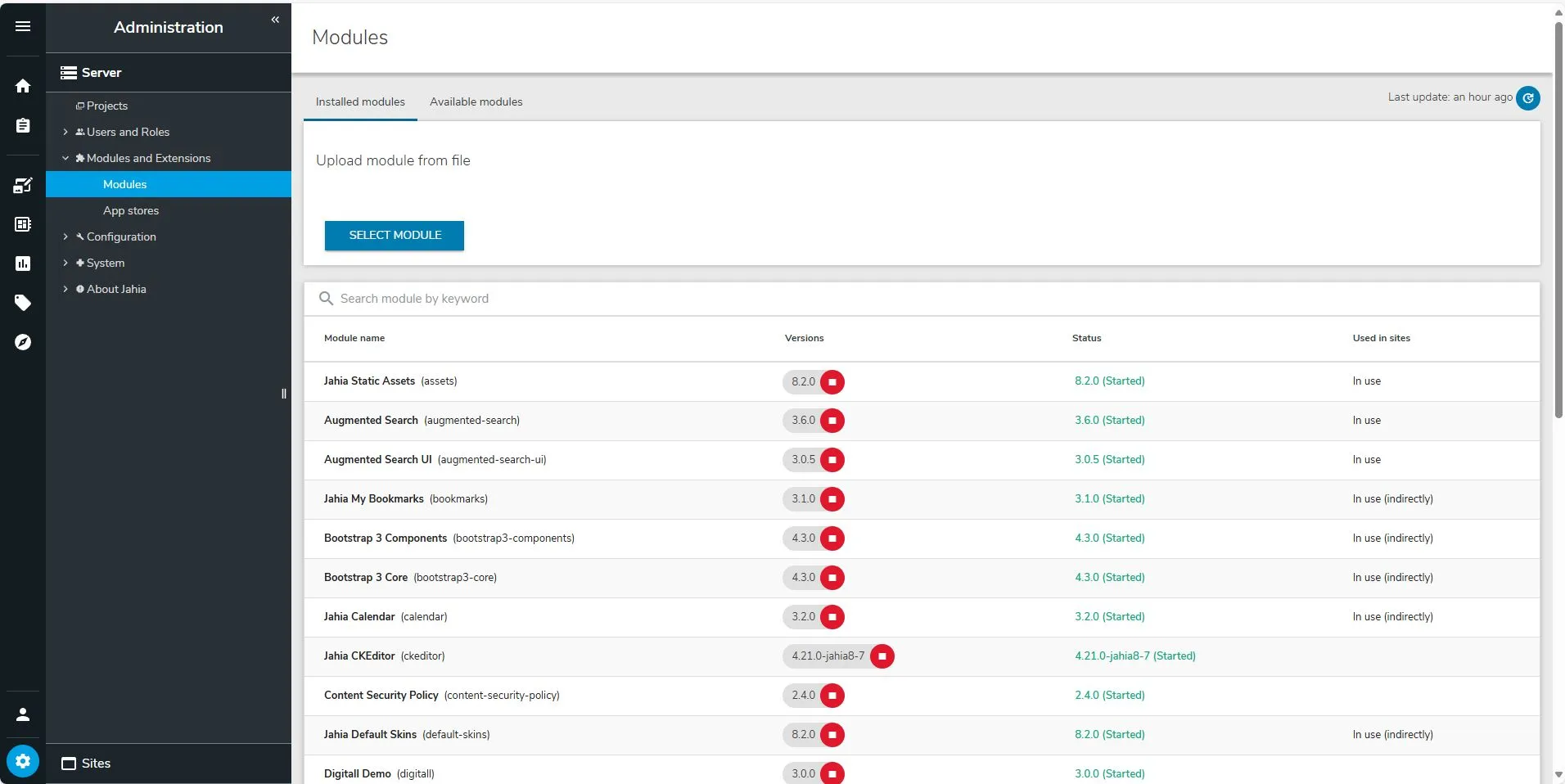
Do you have multiple environments for your Jahia projects - from DEV, UAT, QA, Preproduction, to Production?
Your team might experiment in local or development environments, installing bundles from the Jahia Default Store. At some point, you might wonder:
“What version of that add-on should I install on UAT, QA, or Production?”
Usually, you would visually check the module list and upgrade instances manually via the module manager.
Good news!
There’s a better way: by using the Provisioning Generator Jahia module!
- It helps save a YAML configuration and backup installed bundles (in
.jarformat). - You can share this configuration with your team to replicate environments easily.
- After installation, access the tools Karaf command-line screen or connect via Karaf credentials and run:
provisioning-generator:generate- It will generate a
.zipfile containing:- The YAML configuration
- Installed JARs
- The output typically appears in:
digital-factory-data/content/tmp(depending on your setup). - You can later place it in your provisioning folder (like
digital-factory-data/patches/provisioning).
Our Improved Fork
We’ve also created a fork of this module to further optimize the zip size by splitting the export into two parts:
1️⃣ Provisioning Store YAML
- Modules supported by Jahia and available in their repository.
- No JARs included.
- YAML file:
provisioning-store.yaml
2️⃣ Provisioning Files YAML
- Modules not available by default or community versions.
- Bundled with their respective JARs.
- YAML file:
provisioning-files.yaml
Find the forked module here: Forked Provisioning Generator Module
Use the command:
provisioning-generator:split-generateFeel free to use either the default module or our optimized fork to simplify your Jahia environment management!
Posted by GladTek