· Ahmed Chaabni · GDPR · 10 min read
User deletion is not a button, it is a strategy
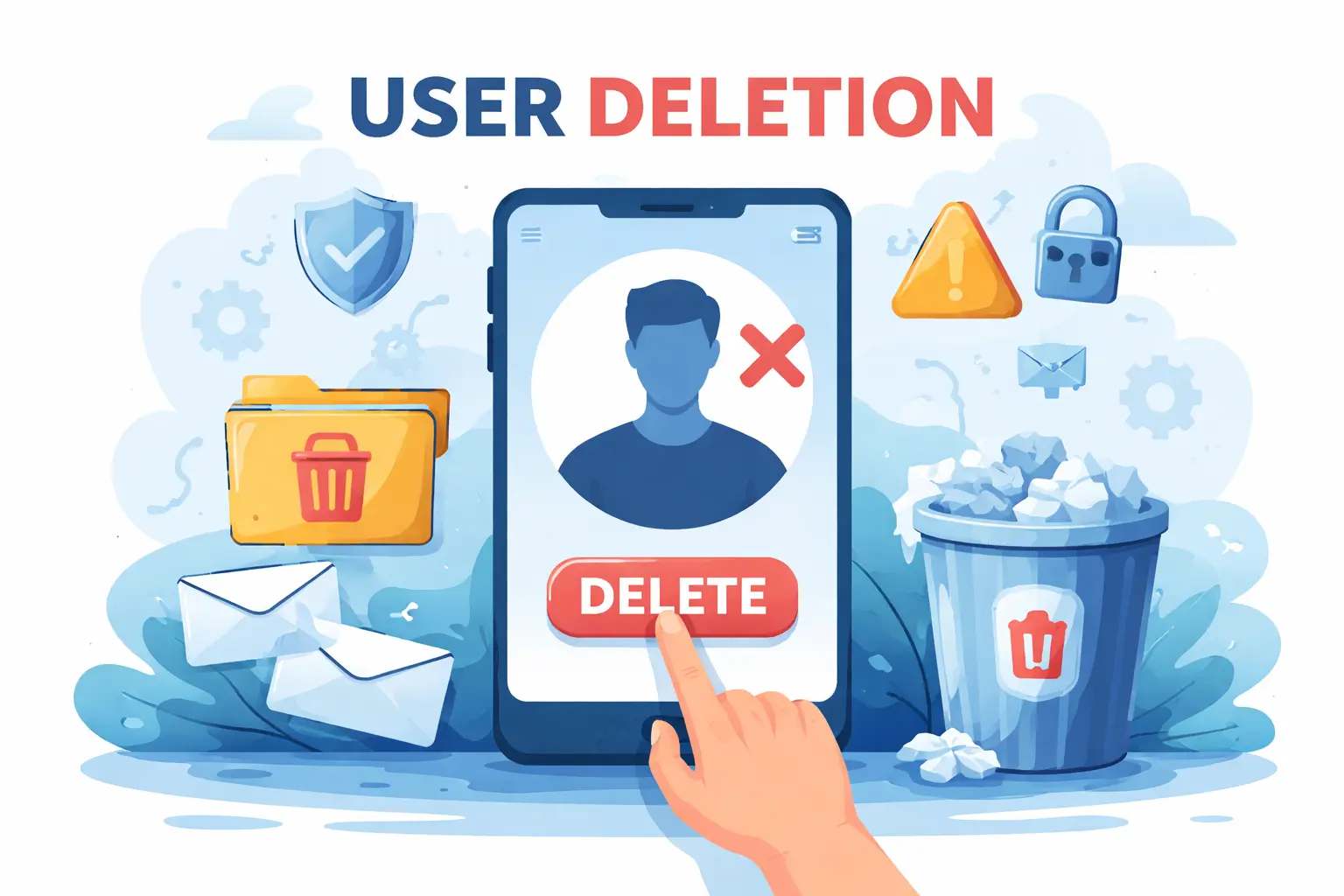
When people think about "user deletion", they usually picture a red button in an account settings screen. For a business, it is much more than that. Deleting a user touches your legal obligations, your brand trust, your data architecture and the experience you offer when someone decides to leave.
- 1TL;DR
- 2Why user deletion matters for your business
- 31. Regulation and risk
- 42. Trust and reputation
- 53. Operational clarity
- 6Legal basics in plain language
- 7The right to erasure (GDPR Article 17)
- 8Retention versus deletion
- 9Technical perspectives without the jargon
- 10Hard delete, soft delete, and anonymization
- 11Decision tree: Which deletion method to use?
- 12Multiple systems, one user
- 13Actionable checklists
- 14✅ Pre-launch deletion readiness checklist
- 15✅ Deletion request response checklist
- 16✅ Annual deletion audit checklist
- 17User experience: leaving is part of the journey
- 18Discoverable and honest flows
- 19Real-world example: Good vs. bad deletion UX
- 20Setting expectations with users
- 21Turning deletion into a clear policy
- 221. Data map
- 232. Retention rules
- 243. User deletion policy document
- 254. User-facing content
- 26Next steps: Building your deletion strategy
- 27Recommended action plan
- 28Conclusion
TL;DR
User deletion is not just a feature it’s a legal requirement, trust signal, and operational necessity. This guide covers the legal framework (GDPR Article 17), technical implementation patterns (hard delete, soft delete, anonymization), and UX best practices to help you build a compliant deletion strategy.
In January 2021, Amazon was fined €746 million for GDPR violations. In 2022, Meta received a €405 million fine. While these cases involved multiple infractions, inadequate data deletion practices were among the cited issues. The message is clear: user deletion is not optional, and getting it wrong is expensive.
When people think about “user deletion”, they usually picture a red button in an account settings screen. But for a business, it is much more than that. Deleting a user touches your legal obligations, your brand trust, your data architecture, and the experience you offer when someone decides to leave.
Why user deletion matters for your business
There are three main reasons every digital product needs a clear approach to user deletion:
1. Regulation and risk
In the EU, the GDPR gives individuals a “right to erasure” or “right to be forgotten” (Article 17). In simple terms, people can ask you to delete their personal data, and you must respond within one month, unless you have a strong legal reason not to.
GDPR fines can reach up to €20 million or 4% of global annual revenue, whichever is higher. Beyond fines, non-compliance can trigger lawsuits, regulatory audits, and reputational damage.
2. Trust and reputation
People are increasingly aware of how their data is used. A 2023 Cisco study found that 81% of consumers consider data deletion capabilities when choosing a service. If leaving your product feels difficult or unclear, they are less likely to sign up in the first place and more likely to complain publicly when they try to leave.
3. Operational clarity
A well-defined deletion process reduces internal confusion. Teams know what to do when a request comes in, which systems are impacted, and how to answer user questions. Without this clarity, deletion requests become ad-hoc firefighting exercises.
Legal basics in plain language
You do not need to become a privacy lawyer, but you do need to understand a few core ideas.
The right to erasure (GDPR Article 17)
GDPR Article 17 says that individuals can ask you to erase their personal data in several situations:
- The data is no longer needed for its original purpose
- They withdraw consent (and there’s no other legal basis)
- The data has been processed unlawfully
- Erasure is required to comply with a legal obligation
This right is not absolute. You may need to keep some data for:
- Legal obligations (e.g., accounting records required by tax authorities for 7-10 years)
- Ongoing contracts, fraud prevention, or security investigations
- Public interest or scientific research, subject to specific safeguards
You must have a documented, reasonable justification for any data you keep. Keeping data “just in case” is not a defensible strategy under GDPR.
Retention versus deletion
Good user deletion starts long before a user clicks “delete my account”. GDPR requires that personal data is stored only as long as necessary for the purpose you collected it (Article 5(1)(e) - storage limitation principle).
That means you should:
- Define retention periods for major data categories
- Regularly review and update these periods
- Automatically delete or anonymize data when that period expires
If you do that well, user deletion requests become simpler, because there is already less historical data to handle.
Technical perspectives without the jargon
From a technical point of view, there is no single “delete”. Engineers have to choose patterns that balance legal, business, and product needs.
Hard delete, soft delete, and anonymization
At a high level, there are three common approaches:
| Approach | What happens | Best for | GDPR compliance |
|---|---|---|---|
| Hard deletion | User record and related data are permanently removed from systems and backups | Marketing data, user-generated content, temporary data | ✅ Strongest guarantee |
| Soft deletion | User is marked as deleted but data stays in database, hidden from UI | Audit trails, fraud prevention (short-term) | ⚠️ Only if combined with anonymization |
| Anonymization | Identifying elements (name, email, IP) are removed or replaced | Analytics, transaction histories, business metrics | ✅ If truly irreversible |
The business decision is usually not “which one” but where to use each.
For example, you might:
- Hard delete marketing preferences and contact lists
- Anonymize analytics events and product usage data
- Retain with minimal identifiers financial records required by tax law
Decision tree: Which deletion method to use?
graph TD
    A[User deletion request received] --> B{Is data required by law?}
    B -->|Yes| C{Can it be minimized?}
    B -->|No| D{Is data needed for business metrics?}

    C -->|Yes| E[Retain minimal data<br/>Remove all PII<br/>Document legal basis]
    C -->|No| F[Retain with legal justification<br/>Document retention period]

    D -->|Yes| G{Can it be anonymized?}
    D -->|No| H[Hard delete<br/>Remove from all systems]

    G -->|Yes| I[Anonymize<br/>Remove all identifiers]
    G -->|No| J{Is it truly necessary?}

    J -->|Yes| K[Soft delete + anonymize PII<br/>Set expiration date]
    J -->|No| H

    style E fill:#ffd700
    style F fill:#ff6b6b
    style H fill:#51cf66
    style I fill:#51cf66
    style K fill:#ffd700
Multiple systems, one user
In practice, a “user” is spread across many systems: CRM, billing, analytics, support ticketing, backups, CDN caches, and third-party partner tools. That is why treating deletion as a single button is dangerous.
User data flow across systems
graph LR
    User[User Account] --> Auth[Authentication<br/>Service]
    User --> CRM[CRM<br/>Salesforce/HubSpot]
    User --> Billing[Billing<br/>Stripe/PayPal]
    User --> Analytics[Analytics<br/>Google/Mixpanel]
    User --> Support[Support<br/>Zendesk/Intercom]
    User --> Email[Email<br/>SendGrid/Mailchimp]
    User --> CDN[CDN/Cache<br/>Cloudflare]
    User --> Backup[Backup<br/>Systems]

    Auth --> DB[(Primary<br/>Database)]
    CRM --> DB
    Billing --> DB

    style User fill:#4dabf7
    style DB fill:#ff6b6b
A robust deletion strategy usually includes:
- An internal map of systems that store personal data (see diagram above)
- Clear rules for each system: delete, anonymize, or retain with legal justification
- A way to propagate deletion or anonymization across systems and vendors
- Verification mechanisms to confirm deletion was successful
Business owners should ask for this map and these rules, not just for a new screen in the app.
Actionable checklists
✅ Pre-launch deletion readiness checklist
Use this before launching any new product or feature that collects user data:
- Data mapping: Document all systems that store user personal data
- Retention policies: Define retention periods for each data category
- Deletion workflows: Design technical process for each system (hard delete, soft delete, anonymization)
- Legal review: Confirm which data must be retained and for how long
- Third-party audit: Identify all vendors/partners who receive user data
- Vendor agreements: Ensure contracts include data deletion clauses
- Backup strategy: Plan how to handle data in backups (overwrite vs. expiration)
- User interface: Create clear, accessible deletion flow in account settings
- Communication templates: Prepare email templates for acknowledgment and confirmation
- Testing: Verify deletion works end-to-end across all systems
- Documentation: Write internal runbook and user-facing FAQ
- Monitoring: Set up alerts for failed deletion jobs or overdue requests
✅ Deletion request response checklist
Use this when a user requests account deletion:
- Acknowledge immediately: Send confirmation email within 24 hours
- Verify identity: Confirm request came from legitimate account owner
- Check legal holds: Verify no ongoing legal/fraud investigations require data retention
- Inform user: Explain what will be deleted, what will be retained (and why), and timeline
- Execute deletion: Run deletion workflow across all systems
- Verify completion: Confirm data removed from primary systems, caches, and backups
- Document: Log request, actions taken, and completion date
- Send confirmation: Notify user when deletion is complete
- Set backup expiration: Mark data in backups for eventual overwrite/expiration
✅ Annual deletion audit checklist
Perform this review at least once per year:
- Review data map: Update list of systems storing user data
- Audit retention policies: Verify policies still align with business needs and legal requirements
- Check deletion logs: Review past deletion requests for patterns or issues
- Test deletion workflows: Run end-to-end test deletion to verify all systems respond correctly
- Vendor compliance: Confirm third-party vendors are honoring deletion requests
- Backup review: Verify old backups are being properly expired or overwritten
- Update documentation: Refresh internal runbooks and user-facing content
- Team training: Ensure support and engineering teams know current procedures
- Legal consultation: Review any regulatory changes affecting deletion requirements
User experience: leaving is part of the journey
Account deletion is a touchpoint in your customer journey, even if it feels like the end of the story. Handling it well can leave a positive final impression and potentially bring users back in the future.
Discoverable and honest flows
Good deletion flows have a few things in common:
- The option to delete an account is easy to find in account or privacy settings
- The language is clear about what will happen and when, without dark patterns or hidden steps
- Alternatives (such as pausing or deactivating an account) are offered transparently, without making deletion impossible
- Confirmation steps are reasonable (e.g., re-enter password), not obstructive (e.g., “call this number during business hours”)
For app stores like Apple and Google, clear in-app account deletion is now a policy requirement, not just good practice. Apps without compliant deletion flows can be rejected or removed.
Real-world example: Good vs. bad deletion UX
❌ Bad example: A popular social media app buried account deletion 5 levels deep in settings, required users to wait 30 days before deletion, and sent daily “are you sure?” emails. User backlash led to regulatory scrutiny.
✅ Good example: A SaaS platform offers “Delete Account” prominently in settings, explains what data will be deleted vs. retained (invoices for tax compliance), offers “Pause Account” as an alternative, and completes deletion within 7 days with email confirmation.
Setting expectations with users
Most frustration around deletion comes from silence. Even if your technical process is compliant, poor communication can undermine user trust.
A simple communication plan:
- Acknowledge the request immediately (automated email within minutes)
- Explain any identity checks you must do (“We’ll verify your identity to protect your account”)
- Give a realistic timeline for completion (“Deletion will be complete within 14 days”)
- Confirm when done and explain what was kept, if anything (“Your account has been deleted. We retained invoice #12345 for tax compliance until 2028”)
This is as much a customer service process as a technical one.
Turning deletion into a clear policy
To move from “we have a delete button” to “we have a deletion strategy”, business stakeholders can push for a few concrete deliverables:
1. Data map
A living document showing:
- All systems that store user personal data
- What data each system stores
- Who owns/manages each system
- Deletion method for each system
2. Retention rules
Clear policies for key data categories:
| Data category | Retention period | Deletion method | Legal basis |
|---|---|---|---|
| Marketing preferences | Until user deletes account | Hard delete | Consent |
| Purchase history | 7 years after last transaction | Anonymize after 2 years, hard delete after 7 | Tax law |
| Support tickets | 2 years after closure | Anonymize | Legitimate interest |
| Analytics events | 90 days | Anonymize | Legitimate interest |
| Authentication logs | 1 year | Hard delete | Security |
3. User deletion policy document
A documented policy that describes:
- How users can request deletion
- What happens when they do
- Timeline for completion
- What data is retained and why
- How to contact privacy team with questions
4. User-facing content
Simple, accessible content:
- FAQ: “How do I delete my account?” “What happens to my data?”
- Help articles: Step-by-step deletion instructions
- In-app copy: Clear language in deletion flow
- Email templates: Acknowledgment and confirmation messages
FAQs
Frequently Asked Questions
Common questions about user deletion, GDPR compliance, and data management best practices.
What's the difference between "delete account" and "deactivate account"?
Deactivation typically hides your account from public view but keeps your data intact, allowing you to reactivate later. Deletion permanently removes your personal data (subject to legal retention requirements). Always offer both options when possible.
How long can we keep data in backups?
GDPR doesn't explicitly address backups, but the consensus is that you should either:
• Overwrite backups on a regular schedule (e.g., monthly), so deleted data naturally expires
• Mark deleted data in backups and filter it out if you ever need to restore
Keeping deleted user data in backups indefinitely is risky.
Do we need to delete data from analytics platforms?
If the analytics data contains personal identifiers (user IDs, emails, IP addresses), yes. However, if you anonymize the data (remove all identifiers), it's no longer personal data under GDPR and doesn't need to be deleted.
What if a user requests deletion but has an outstanding invoice?
You can retain financial records required by law (typically 7-10 years for tax purposes), but you should:
• Keep only the minimum necessary data (invoice amount, date, transaction ID)
• Remove unnecessary personal details (marketing preferences, browsing history, etc.)
• Document the legal basis for retention
Can we offer incentives to prevent deletion?
Yes, you can offer alternatives like account pausing or special offers, but:
• Never make deletion harder than it needs to be
• Never use dark patterns (e.g., "Are you SURE you want to lose all your friends?")
• Always provide a clear path to deletion if the user insists
What is the GDPR timeline for responding to deletion requests?
Under GDPR Article 12, you must respond to a deletion request within one month of receiving it. This can be extended by two additional months for complex requests, but you must inform the user of the extension within the first month.
How do we handle deletion requests for users with active subscriptions?
You should:
• Cancel the subscription as part of the deletion process
• Process any final payments or refunds according to your terms
• Retain minimal billing data required by law (typically just transaction records)
• Delete all other personal data (preferences, usage history, etc.)
Next steps: Building your deletion strategy
With these foundations in place legal clarity, technical robustness, and respectful UX you can build a deletion strategy that satisfies regulators, earns user trust, and gives your teams operational clarity.
Recommended action plan
- Week 1: Conduct data mapping exercise (use checklist above)
- Week 2: Define retention policies for each data category
- Week 3: Design technical deletion workflows (use decision tree above)
- Week 4: Create user-facing deletion flow and communication templates
- Ongoing: Test, document, and audit regularly
Consider conducting a GDPR compliance audit or consulting with a data privacy specialist. The upfront investment is far less than the cost of a regulatory fine or reputational damage.
Conclusion
User deletion is not a button it’s a strategy that spans legal compliance, technical architecture, and customer experience. Modern customers expect transparency and control over their data, and regulators are watching closely.
The companies that get this right don’t just avoid fines. They build trust, operational efficiency, and a competitive advantage in an increasingly privacy-conscious world.
When someone decides it’s time to leave your product, how you handle that moment says everything about your values. Make it count.