· Ahmed Chaabni · Vaadin · 6 min read
Building a Star Wars Themed App with Vaadin 25
Choose your side! A technical deep dive into building a dynamic, Star Wars-themed component showcase with Vaadin 25. Learn to master dynamic theming, deep linking, and RTL support.
- 1Reference: Building a Tailwind Design System
- 21. The Dual Destiny: Dynamic Theming
- 32. Solving the Deep Linking Paradox
- 43. A “Kitchen Sink” Component Structure
- 54. Global Accessibility: i18n & RTL
- 65. Handling the Unknown (404)
- 76. Going Cloud Native: Docker & Actions
- 8Smart Containerization
- 9Conditional Deployment
- 10Conclusion
In the world of Java web development, Vaadin stands out for allowing developers to build robust, modern web UIs using 100% Java. To explore the latest features of Vaadin 25 and Spring Boot, I decided to build something a bit more adventurous than the typical “Hello World”: a Star Wars Themed Component Showcase.
Here is a look at the key technical challenges and features we implemented, from dynamic theming to deep linking logic.
Live Demo: https://starwars.gladtek.com/
Live Demo Hosted on Render https://starwars-render.gladtek.com/ Free Tier - patience required!
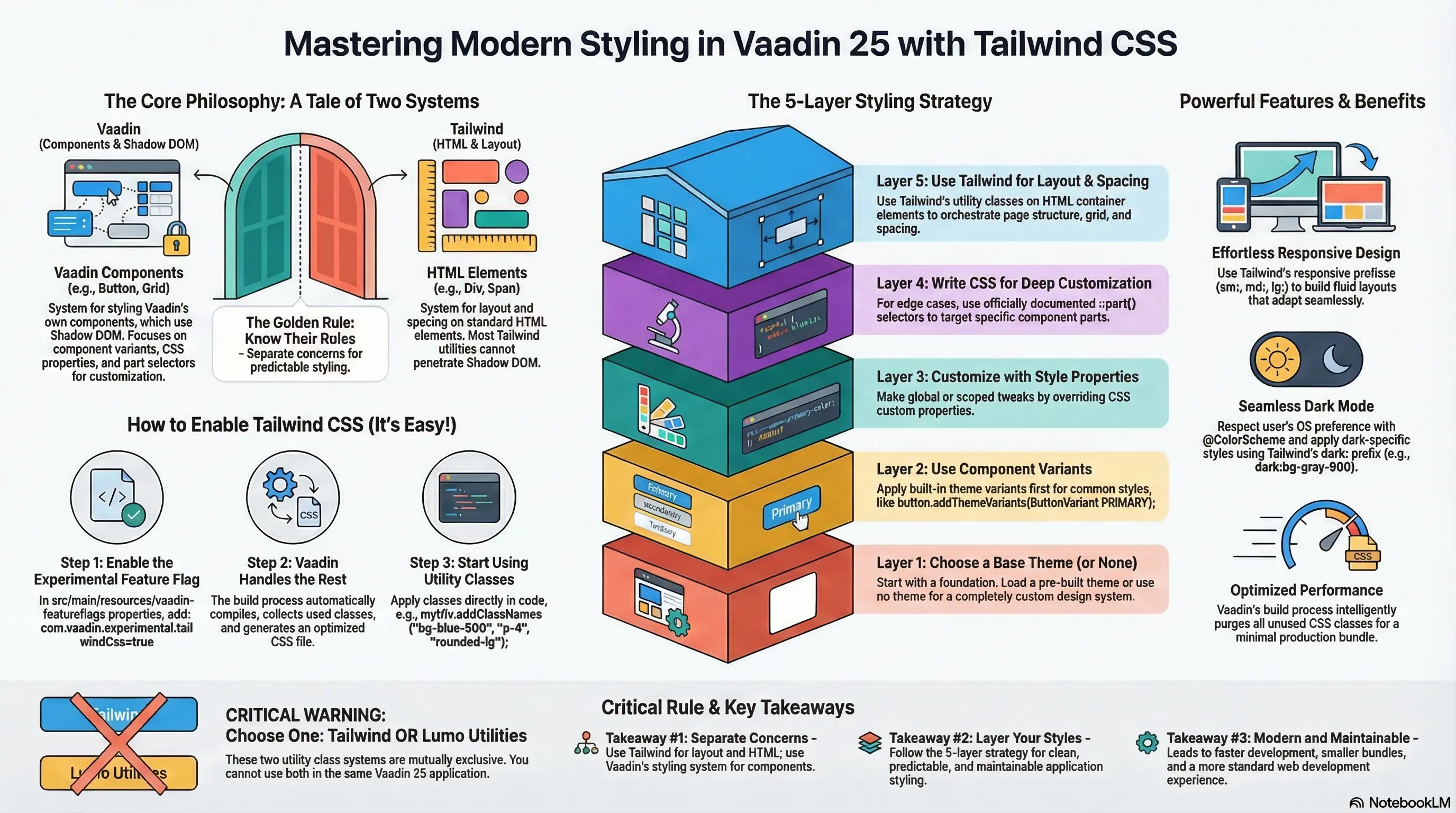
Reference: Building a Tailwind Design System
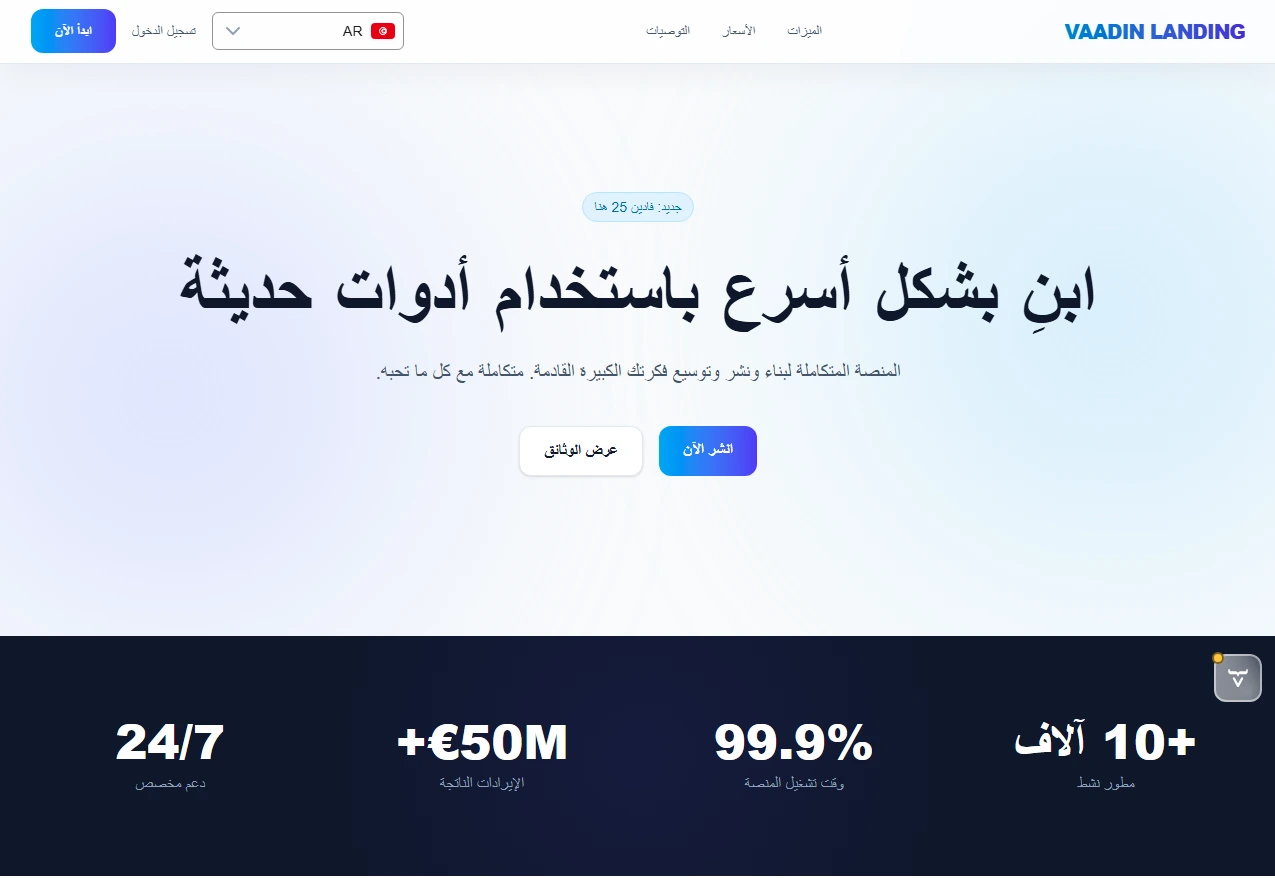
The Star Wars app represents a minimal setup with less CSS. You can customize it further to have more advanced styling, in the video below an example of more complex project that includes more advanced styling, Tailwind CSS, MariaDB, Spring JPA, Minio (S3), Keycloak and more:
1. The Dual Destiny: Dynamic Theming
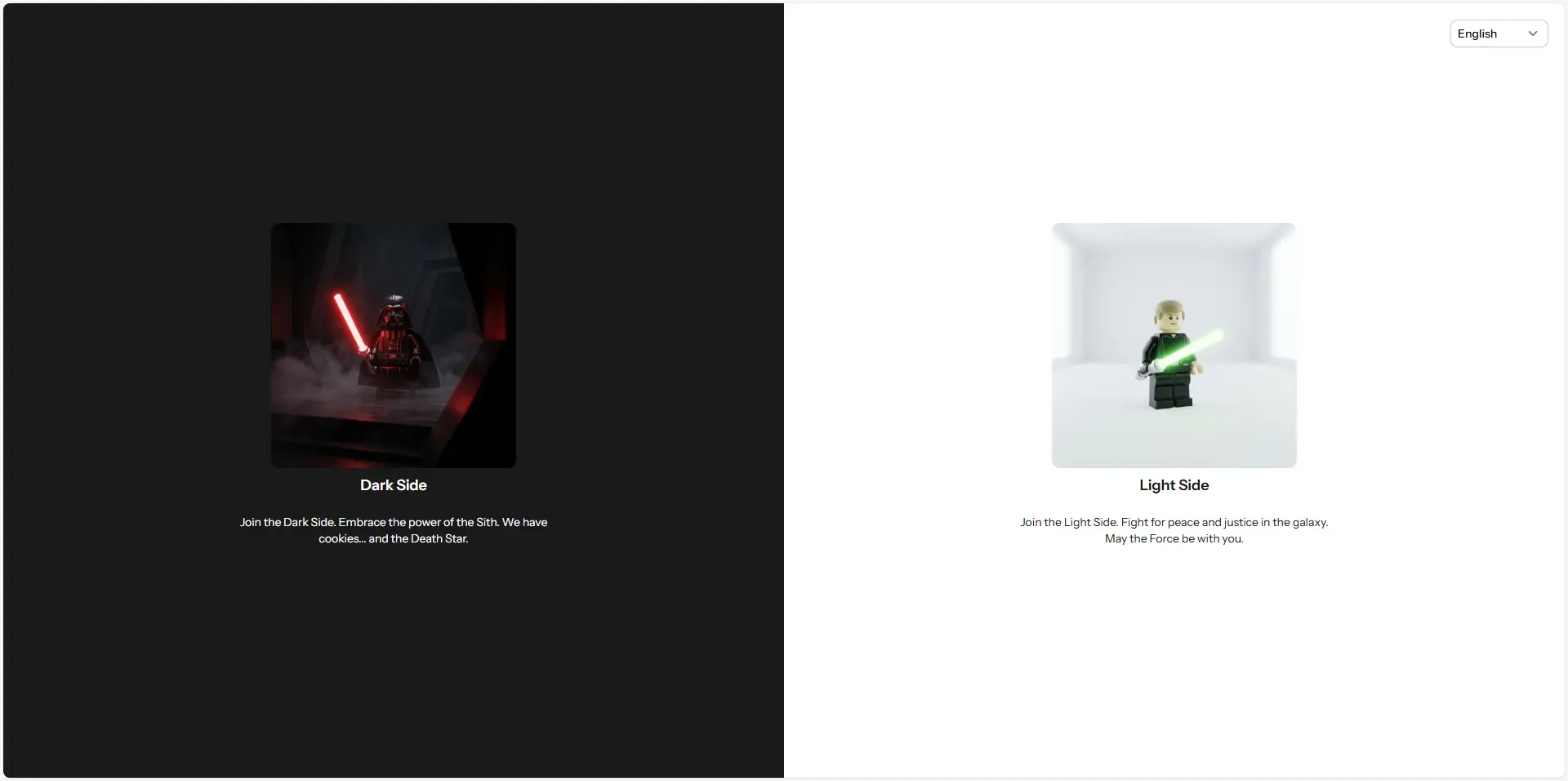
The core concept of the app is simple: upon entry, you must choose your side Light or Dark. This acts as your identity; there is no login form, only your allegiance. This choice drives the entire user experience.
We implemented a SplitScreenView as the entry point. The user’s choice controls the Color Scheme (Light vs Dark), leveraging Vaadin’s native ColorScheme API. This allows us to instantly toggle dark mode while maintaining our custom Aura theme foundation.
// SchemeToggle.java - Switching the Color SchemeString initialTheme = userSession.getSelectedSide();if ("dark".equalsIgnoreCase(initialTheme)) { // Enable Dark Mode UI.getCurrent().getPage().setColorScheme(ColorScheme.Value.DARK);} else { // Enable Light Mode UI.getCurrent().getPage().setColorScheme(ColorScheme.Value.LIGHT);}By decoupling the Color Scheme (Light/Dark) from the Theme (Structure/Shapes represented by Aura), we can offer a dramatic visual change without checking or reloading the underlying theme engine. This leverages Vaadin’s modern ColorScheme API to instantly adapt the application’s mood.
2. Solving the Deep Linking Paradox
One common issue in “Gatekeeper” style apps (where you need to make a selection before seeing content) is breaking direct links. If a user tries to visit /planets but hasn’t selected a side, where do they go?
We solved this with a robust Route Guard using BeforeEnterObserver and our UserSession.
- Intercept: If the user hits a private route without a session, we catch them.
- Store: We save their intended destination (e.g.,
planets). - Redirect: We send them to the Side Selection screen.
- Restore: Once they choose a side, we check for that stored route and transparently forward them there.
This ensures a seamless experience users never lose their way, even if they aren’t “logged in” yet.
3. A “Kitchen Sink” Component Structure
As the application grew, our ComponentsView (designed to show off TextFields, Buttons, and Grids) became massive. To maintain clean code, we refactored it using a modular composition pattern.
Instead of one giant class with 500 lines of UI code, we split it into logical sections:
InputSection: Handles all form fields.CardSection: showcasing standard and custom “Travel” cards.ButtonSection: Featuring standard variants, new Icon Button layouts (prefix/suffix), and custom styling replacing framework defaults.
Each section is a standalone localized component, making the main view a simple orchestrator.
4. Global Accessibility: i18n & RTL
Star Wars is for everyone, so we ensured the app supports English, Arabic, French and German.
The real challenge was Right-to-Left (RTL) support for Arabic. We used Vaadin’s built-in direction support but enhanced it with a custom DatePickerI18nUtil. This utility dynamically reconfigures the complex DatePicker component translating months, weekdays, and even the “Today” and “Cancel” buttons ensuring a native experience for all users.
5. Handling the Unknown (404)
Finally, no app is complete without error handling. We created a custom NotFoundView implementing HasErrorParameter<NotFoundException>.
Unlike a generic browser error, this view stays within our main layout context (if logged in) or stands alone (if anonymous), providing a localized message and a safe path back home.
6. Going Cloud Native: Docker & Actions
A pipeline is added using GitHub Actions to automate the build, test, and deployment process.
Smart Containerization
The Dockerfile has :
- Layer Caching: We explicitly copy
pom.xmland runmvn dependency:go-offlinebefore copying the source code. This means if we only change Java files, Docker reuses the heavy dependency layer, making builds lightning fast. - Maven Image: We switched to the official
maven:3.9-eclipse-temurin-21image to avoid cross-platformmvnwpermission headaches.
FROM maven:3.9-eclipse-temurin-21 AS buildENV HOME=/appRUN mkdir -p $HOMEWORKDIR $HOMECOPY pom.xml $HOMERUN --mount=type=cache,target=/root/.m2 \    mvn dependency:go-offline
COPY src $HOME/srcRUN --mount=type=cache,target=/root/.m2 \     mvn clean package -DskipTests
FROM eclipse-temurin:21-jre-alpineCOPY --from=build /app/target/*.jar app.jarENTRYPOINT ["java", "-jar", "/app.jar", "--spring.profiles.active=prod"]
Conditional Deployment
We automated deployment with GitHub Actions, but with a twist. A version.json file controls the entire process:
{ "tag": "0.0.1", "image_name": "vaadin-starwars", "push": false, "update_latest": true}The workflow reads these values dynamically. It constructs the full image tag by combining your GitHub Secret DOCKER_USERNAME with the image_name defined in the JSON (e.g., your_user/vaadin-starwars:0.0.1).
If "push": false, it simply runs a test build to verify the code. If true, it authenticates and pushes the image to Docker Hub, automatically applying both the version tag and latest (if enabled). This gives us granular, configuration-driven control over releases without ever touching the YAML.
To enable this connection, we simply set DOCKER_USERNAME and DOCKER_PASSWORD in the repository’s GitHub Secrets, keeping credentials safe and out of the codebase. Those variables are needed to put as secrets in your project settings secrets.
name: Docker Image CI
on:  push:    branches: [ "main" ]  workflow_dispatch:
jobs:  build-and-push:    runs-on: ubuntu-latest
    steps:      - name: Checkout code        uses: actions/checkout@v4
      - name: Set up Docker Buildx        uses: docker/setup-buildx-action@v3
      - name: Read Version Config        id: config        run: |          echo "TAG=$(jq -r .tag version.json)" >> $GITHUB_OUTPUT          echo "UPDATE_LATEST=$(jq -r .update_latest version.json)" >> $GITHUB_OUTPUT          echo "SHOULD_PUSH=$(jq -r .push version.json)" >> $GITHUB_OUTPUT          echo "IMAGE_NAME=$(jq -r .image_name version.json)" >> $GITHUB_OUTPUT
      - name: Login to Docker Hub        if: steps.config.outputs.SHOULD_PUSH == 'true'        uses: docker/login-action@v3        with:          username: ${{ secrets.DOCKER_USERNAME }}          password: ${{ secrets.DOCKER_PASSWORD }}
      - name: Generate Docker Tags        id: tags        env:          DOCKER_USERNAME: ${{ secrets.DOCKER_USERNAME }}        run: |          IMAGE_ID="$DOCKER_USERNAME/${{ steps.config.outputs.IMAGE_NAME }}"          TAGS="$IMAGE_ID:${{ steps.config.outputs.TAG }}"          if [ "${{ steps.config.outputs.UPDATE_LATEST }}" = "true" ]; then            TAGS="$TAGS,$IMAGE_ID:latest"          fi          echo "DOCKER_TAGS=$TAGS" >> $GITHUB_OUTPUT
      - name: Build and push        uses: docker/build-push-action@v5        with:          context: .          push: ${{ steps.config.outputs.SHOULD_PUSH == 'true' }}          tags: ${{ steps.tags.outputs.DOCKER_TAGS }}          cache-from: type=gha          cache-to: type=gha,mode=max
Conclusion
Building this minimal demo showed that Vaadin 25 is more than capable of handling complex, state driven UI requirements with elegance. By combining standard Spring Boot patterns with Vaadin’s powerful component model, we created an app that feels distinct, responsive, and polished.
May the Source (Code) be with you!