Stop Using //TODO Comments - Use Jira Instead
Scattered //TODO comments create invisible technical debt. Learn why replacing them with Jira tickets improves visibility, accountability, and team productivity.
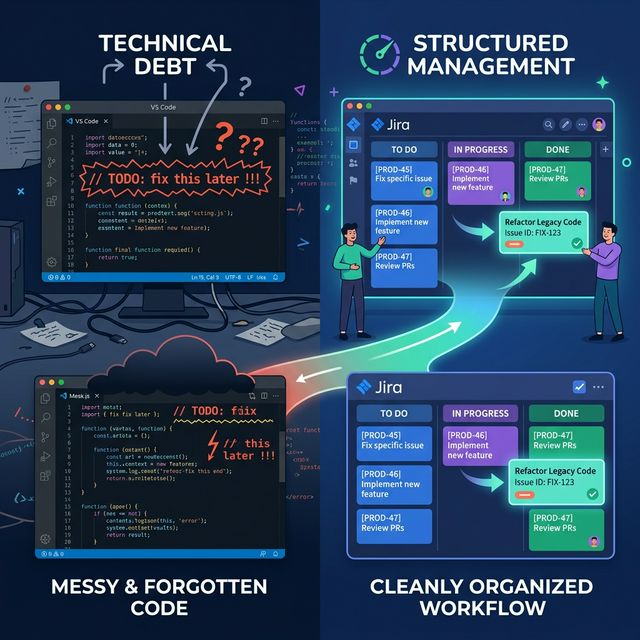
In many codebases, especially long-lived ones, scattered //TODO comments tell a quiet story of neglect. What starts as a simple reminder for future work easily becomes technical debt when forgotten for months-or years. In a modern development workflow, there’s a better way.
Why //TODO Comments Fail
1. No visibility.
A //TODO buried in a file isn’t visible to your team or your project manager. Unless someone reads that specific line, nobody knows work is pending.
2. No accountability.
A comment doesn’t have an assignee, priority, or due date. It doesn’t fit into a sprint or release plan, so it never gets properly addressed.
3. Hard to track and report.
You can’t query or filter //TODO comments across repositories. Even if your IDE indexes them, there’s no context for scheduling, dependencies, or blockers.
4. They age silently.
Weeks turn to months, and those quick reminders lose meaning as the surrounding code evolves. Many TODOs become irrelevant or misleading over time.
The Better Alternative: Jira (or Any Issue Tracker)
A good issue tracker turns vague reminders into actionable work. When you create a Jira issue instead of a //TODO, you instantly gain:
- Traceability: Every task has a unique key (e.g.,
PROJ-123) you can reference directly in code or commit messages. - Accountability: You can assign it to a developer, set deadlines, and track progress through sprints.
- Visibility: Jira dashboards and boards make it easy for the entire team to see pending work.
- Context: Issues can include details, comments, linked tickets, and attachments that never fit in a code comment.
A Simple Best Practice
Instead of this:
// TODO: Handle null pointer case when user input is missingDo this:
Create PROJ-123 in Jira with full context. You can even link the Git commit to the Jira ticket, making your code changes traceable to a business or technical decision
// Jira: PROJ-123 - Handle null pointer case when user input is missingThe Outcome
When every future task, fix, or enhancement lives in Jira instead of your source files:
Your backlog becomes the single source of truth.
Developers spend less time searching for forgotten comments.
Project managers can plan more accurately.
Your codebase stays clean, with comments reserved for explaining logic-not managing work.
In short, stop treating //TODO as a note-to-self. Treat it as an opportunity to create a well-documented, trackable, and team-visible issue.